 |
||||||||||||||||||||||
Power-Supplier.co.uk › Replacement Laptop Batteries › Replacement MSI Laptop Batteries › MS-14D1 Battery |
||||||||||||||||||||||
|
||||||||||||||||||||||
| Shopping with us is safe and secure. None of our customers have ever reported fraudulent use of their credit cards as a result of shopping with us. You can be assured that the information you give us is confidential. We do not sell, rent or share information of our customers with other parties. | ||||||||||||||||||||||
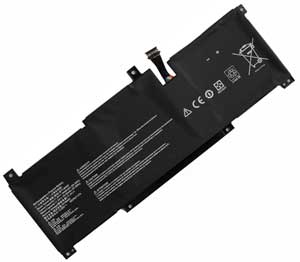
This Laptop Battery can replace the following part numbers: MSI BTY-M493, This Laptop Battery is also compatible with the following models: MSI Prestige 14 A10RB Series, Modern 14 B10RBSW, Prestige 14 Intel 11th Gen, Prestige 14 A11SCX, MS-14D1, Summit E14 A11SCS, Prestige 14 Hands-On A10M, Prestige 14 A10SC-009 i7-10710U, Modern 14 B11SB, Prestige 14 Rose Pink, Prestige 14 B10MW B10MW-017US, |
||||||||||||||||||||||
| Choosing the right Charger / AC adapter:Before you buy any AC laptop adapter, please make sure the AC laptop adapter will give you the correct voltage and suitable current output. Choose the right charger. Firstly, check the compatible brand. Secondly, check the output voltage and current, such as 19V 3.33A, which can be seen on the label of your laptop charger or at the bottom of the laptop. Thirdly, check the connection port. |
||||||||||||||||||||||
|
||||||||||||||||||||||